• Xodo PDF StudioMac

Xodo PDF for Mac


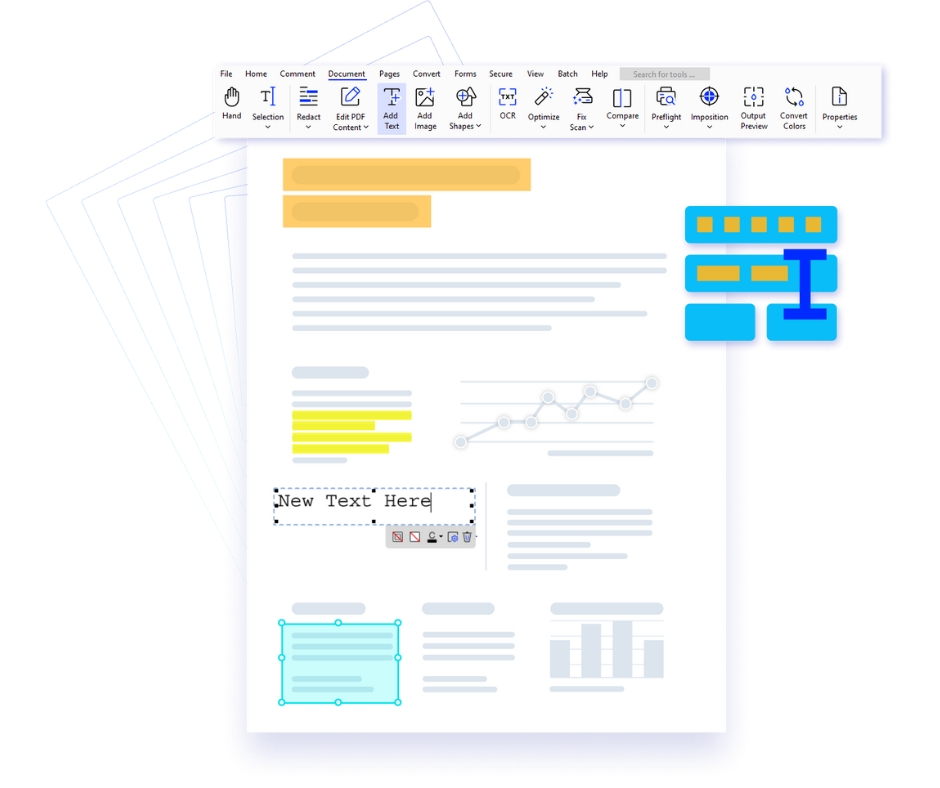
Xodo PDF for Mac is a sleek and intuitive PDF editor crafted for macOS users who value performance, design, and seamless productivity. Optimized for the Mac ecosystem, Xodo delivers a smooth, responsive experience with a clean interface that feels native to macOS. Whether you're reviewing contracts, editing business documents, annotating research files, or managing daily paperwork, Xodo empowers professionals, students, and creatives with a refined and efficient PDF workflow tailored specifically for Mac devices.


Why Choose Xodo PDF Editor for Mac?

  1. Native macOS Experience – Designed to align perfectly with macOS aesthetics, Xodo offers a fluid, distraction-free interface with smooth navigation and optimized performance for MacBook and iMac users.
  2. Comprehensive PDF Editing – Edit text, insert images, reorganize pages, and customize documents with precision. Maintain formatting integrity while working on professional-grade PDFs.
  3. Smart Annotation Tools – Highlight, underline, draw, and add comments effortlessly. Perfect for reviewing legal documents, academic research, and business reports on macOS.
  4. Cloud & Apple Ecosystem Integration – Seamlessly connect with iCloud Drive, Google Drive, Dropbox, and OneDrive. Sync and access your documents across Mac, iPhone, and iPad effortlessly.
  5. Real-Time Collaboration – Share PDFs securely and collaborate with teams in real time. Eliminate version confusion and streamline communication directly within your documents.
  6. Advanced Productivity Tools – From OCR and digital signatures to form filling and document conversion, Xodo supports high-performance workflows for corporate, legal, and academic use on Mac.

Key Features of Xodo PDF Editor for Mac

  1. Advanced annotation tools including highlight, underline, freehand drawing, and commenting.
  2. Convert PDFs to Word, Excel, PowerPoint, and other formats with high accuracy.
  3. Merge, split, and organize PDF files with drag-and-drop ease.
  4. Secure documents using encryption, password protection, and access controls.
  5. Share files instantly with secure links for fast and efficient collaboration.

Who Should Use Xodo for Mac?

  1. Business Professionals: Manage contracts, proposals, and reports efficiently with a premium macOS experience.
  2. Students & Researchers: Annotate study materials, organize research papers, and streamline academic workflows.
  3. Creative & Corporate Teams: Collaborate on documents, review designs, and share feedback in real time.


Your Premium macOS PDF Productivity Solution

Edit PDFs on Mac with Xodo PDF Editor

Edit PDFs Seamlessly

Modify text, annotate, redact sensitive data, and fill forms with smooth Mac-optimized controls.

Convert files to PDF on Mac

Flexible File Conversion

Convert and export documents across multiple formats while preserving layout and quality.

Batch PDF processing on Mac

Batch Processing Efficiency

Process multiple PDFs at once—merge, convert, optimize, and secure files in a single workflow.

Secure PDF documents with encryption on Mac

Advanced Security Controls

Protect sensitive files with encryption, permissions, and digital signatures for secure sharing.

Xodo PDF Studio Vs. Adobe Acrobat: Feature Comparison

  • Price
  • Deployment
  • System Requirements
  • Edit PDF
  • Annotate PDF
  • Create & Convert PDF
  • Scan and OCR PDF
  • Create & Fill PDF Forms
  • Sign & Protect PDF
  • View and Print PDF

PDF Software Pricing Comparison

Pricing PlanXodo PDF StudioAdobe Acrobat Pro
Monthly Subscription $12.99 / Month $29.99 / Month
Annual Subscription $120 / Year $240 / Year
Volume Subscription Get Volume Discount Available

Deployment & System Comparison

Xodo PDF Studio vs Adobe Acrobat Pro

Platform / FeatureXodo PDF StudioAdobe Acrobat Pro
Windows Support Xodo Windows Support Adobe Windows Support
macOS Support Xodo macOS Support Adobe macOS Support
Linux Compatibility Xodo Linux Support Adobe Linux Not Supported
Unix Compatibility Xodo Unix Support Adobe Unix Not Supported
Computers Per User License 2 Devices 2 Devices
Use Same License Across Different OS Xodo Cross Platform License Adobe Cross Platform License
Installer Size ~600 MB ~800 MB
System Disk Space Required ~1.5 GB ~4.5 GB

Note: Xodo PDF Studio provides broader platform compatibility and lighter system requirements, making it an efficient and flexible PDF editing solution for professionals and organizations.

System Requirements

Before installing the software, ensure your computer meets the minimum system requirements listed below. These specifications help guarantee stable performance and a smooth PDF editing experience across Windows, macOS, and Linux platforms.

Requirement Windows macOS Linux
Supported Operating System Windows 11 (64-bit)
Windows 10 (64-bit)
Windows 8 / 8.1 (64-bit)
Windows 7 (64-bit)
macOS 10.13 or later Ubuntu, Debian, Fedora, and other major Linux distributions
Minimum Memory (RAM) 1 GB 1 GB 1 GB
Recommended RAM 4 GB or higher 4 GB or higher 4 GB or higher
Storage Space 1.5 GB available disk space 1.5 GB available disk space 1.5 GB available disk space
Display Resolution 1024 × 768 minimum 1024 × 768 minimum 1024 × 768 minimum
Input Devices Mouse and Keyboard Mouse / Trackpad and Keyboard Mouse and Keyboard
Internet Connection Required for activation, updates, cloud services, and OCR language downloads Required for activation, updates, cloud services, and OCR language downloads Required for updates, repositories, and OCR language downloads
Optional (Advanced Features) Extra storage recommended for OCR packs and large PDF documents Extra storage recommended for OCR packs and large PDF documents Extra storage recommended for OCR packs and large PDF documents

Note: For optimal performance when working with large PDFs, scanned documents, or OCR processing, using the recommended system configuration is highly recommended.

Advanced PDF Editing Features Comparison

Explore the powerful editing capabilities available in modern PDF software. The table below highlights key document editing tools used in professional PDF workflows.

PDF Editing FeatureXodo PDF StudioAdobe Acrobat Pro
Insert, delete, rotate, and organize pages
Merge and split PDF pages
Customize font, style, size, and color
Modify images in original PDF content (move, resize, copy, paste)
Insert new text, graphics, and shapes
Embed file attachments
Add and edit bookmarks
Compress and optimize PDF documents
Add headers, footers, and watermarks
Add Bates numbering for legal documents
Permanently redact sensitive information
Add and edit document JavaScript
Create and manage document layers
Advanced page cropping (crop box, bleed box, trim box)
Advanced imposition tools

PDF Annotation & Commenting Features

FeaturesXodo PDF StudioAdobe Acrobat Pro
Commenting tools: sticky notes, graphical annotations, audio comments, pencil tool, typewriter tool Xodo commenting tools Adobe commenting tools
Text markups: highlight, underline, replace, insert, strikethrough Xodo text markup tools Adobe text markup tools
Rubber stamps such as "Approved" and "Reviewed" Xodo rubber stamp feature Adobe rubber stamp feature
Dynamic rubber stamps Xodo dynamic stamp support Adobe dynamic stamp support
Assign annotations to layers Xodo annotation layers Adobe annotation layers
Insert hyperlinks Xodo insert hyperlink Adobe insert hyperlink
Precision measuring tools (distance, perimeter, area) Xodo measurement tool Adobe measurement tool
Flatten annotations Xodo flatten annotations Adobe flatten annotations
Customizable default annotation properties Xodo customizable annotation properties Adobe customizable annotation properties
Import and export annotations Xodo import export annotations Adobe import export annotations
Import and export custom stamps when transferring computers Xodo custom stamp transfer Adobe custom stamp transfer
Edit multiple annotation properties simultaneously Xodo edit multiple annotations Adobe edit multiple annotations
View and search annotations in comments panel Xodo annotation search Adobe annotation search
Save favorite annotations in My Comments tool chest Xodo annotation tool chest Adobe missing tool chest feature

Xodo PDF Studio vs Adobe Acrobat Pro

Feature comparison of two professional PDF editors focusing on creation, conversion, and document automation capabilities.

PDF Creation & Conversion FeaturesXodo PDF StudioAdobe Acrobat Pro
Create blank PDF document
Create PDFs from Word, Excel & PowerPoint
Limited support on macOS
Create PDFs from images
Create PDFs from text documents
Create PDFs from any application that prints
Convert web pages to interactive PDFs
Create password-protected PDFs
Convert PDF to PDF/A and PDF/X
Validate PDF/A and PDF/X files
AutoCAD to PDF
Windows 32-bit only
Not available on macOS
SVG to PDF
HEIC to PDF
Scan to PDF
PDF to Word / Excel / PowerPoint
PDF to JPEG / PNG / TIFF / GIF
PDF to HTML5 / SVG
Extract text from PDF
Extract images from PDF
Batch processing
Action Wizard

OCR & Scanned Document Processing Comparison

OCR / Scan FeatureXodo PDF StudioAdobe Acrobat Pro
Text recognition using OCR Xodo OCR support Adobe OCR support
Fix Scan Xodo Fix Scan feature Adobe Fix Scan feature
Optimize scanned images Xodo scan optimization Adobe scan optimization

PDF Forms & Interactive Fields Comparison

PDF Form FeatureXodo PDF StudioAdobe Acrobat Pro
Fill out interactive PDF forms Xodo fill interactive forms Adobe fill interactive forms
Create fillable interactive PDF forms Xodo create PDF forms Adobe create PDF forms
Import and export form data Xodo import export form data Adobe import export form data
Flatten form fields Xodo flatten form fields Adobe flatten form fields
Edit multiple field properties at once Xodo edit multiple form fields Adobe edit multiple form fields
Merge and assemble PDF forms Xodo merge PDF forms Adobe merge PDF forms

PDF Security & Digital Signature Comparison

Security FeatureXodo PDF StudioAdobe Acrobat Pro
Digitally sign PDF documents Xodo digitally sign PDF Adobe digitally sign PDF
Certify PDF documents Xodo certify PDF documents Adobe certify PDF documents
Add permissions and passwords to PDF Xodo PDF password protection Adobe PDF password protection
Prevent copying or editing PDF content Xodo restrict editing in PDF Adobe restrict editing in PDF
128-bit and 256-bit AES encryption support Xodo AES encryption PDF security Adobe AES encryption PDF security
Digitally sign PDFs Xodo digital signature PDF Adobe digital signature PDF
Collect legally binding e-signatures Xodo Sign Add-on Adobe collect e-signatures

Advanced PDF Tools & Comparison Features

Advanced FeatureXodo PDF StudioAdobe Acrobat Pro
Compare two versions of a PDF to review all differences Xodo PDF document comparison tool Adobe PDF document comparison tool
Measure distance, area, and perimeter in PDFs Xodo PDF measurement tool Adobe PDF measurement tool
Set document properties and initial view Xodo document properties control Adobe document properties control
Output preview Xodo output preview tool Adobe output preview tool
Annotation tool chest (saved & recent annotations) Xodo annotation tool chest Adobe annotation tool chest limitation
Spell check for annotations and form fields Xodo spell check for annotations Adobe spell check for annotations
Side-by-side PDF comparison Xodo side by side PDF comparison Adobe side by side comparison limitation
Overlay PDF comparison Xodo overlay PDF comparison feature Adobe overlay PDF comparison limitation

Xodo PDF Studio FAQs

  • What is Xodo PDF Studio +

    Xodo PDF Studio is a feature-rich desktop PDF editor software that allows you to edit, annotate, create forms, secure, and manage your PDF documents seamlessly across Windows, Mac, and Linux.
  • What is the difference between Xodo PDF Studio and Xodo Web? +

    Xodo PDF Studio is desktop software for Windows, macOS, and Linux that provides advanced offline document processing and security features for enterprise users.
  • Is Xodo PDF Studio compatible with my operating system? +

    Xodo PDF Studio is compatible with Windows, macOS, and Linux operating systems.
  • Can I try Xodo PDF Studio before purchasing? +

    Yes, you can download a demo of Xodo PDF Studio to test the software, but please note that the free demo includes watermarks. Start a free trial to experience all the tools and features without watermarks. You can cancel your trial at any time.
  • Do I need a credit card for the free trial? +

    Yes, you need to provide a credit card to fully test Xodo PDF Studio without limitations or watermarks. You can cancel the trial at any time.
  • How much does Xodo PDF Studio cost? +

    Xodo PDF Studio costs $12.99 per month for a monthly subscription. If you choose the yearly subscription, it’s just $9.99 - saving you $36 over the year. We also offer volume discounts for larger teams and enterprises. To see how Xodo PDF Studio can benefit your organization, we encourage you to book a demo with our representatives today!
  • Is Xodo PDF Studio available for individual users as well as teams? +

    Yes, Xodo PDF Studio is available for both individual users and teams. You can subscribe now for a single user license or contact us for a custom quote tailored to your business needs.
  • What kind of customer support is available? +

    We provide comprehensive customer assistance by email, live chat, and a large online knowledge base.
  • Can I use Xodo PDF Studio offline? +

    Yes, Xodo PDF Studio is fully functional without an internet connection, allowing you to work on your PDFs at any time and from any location.
  • What document security features are available in Xodo PDF Studio? +

    To ensure secrecy, Xodo PDF Studio includes a number of strong security features such as enhanced password protection, digital signatures, and redaction capabilities. It also supports PDF sanitisation, which removes sensitive information and metadata before sharing your files, ensuring that they are secure and meet privacy standards.
  • Can Xodo PDF Studio OCR documents? +

    Yes, Xodo PDF Studio supports OCR (Optical Character Recognition) to convert scanned PDF files and images into searchable documents.
  • Can Xodo PDF Studio batch process files at once? +

    Yes, Xodo PDF Studio can batch process and modify multiple files simultaneously. To learn more about automating PDF tasks with batch processing, start your free trial to test it out firsthand.
  • Is there a completely free version of Xodo PDF Studio? +

    Xodo PDF Studio is a business-grade PDF solution that offers a free trial, allowing you to experience all its features. After the trial, a subscription is required to continue using the software.
  • 1
DMC Firewall is a Joomla Security extension!