Xodo PDF Studio for Linux

Only for Linux 

Xodo PDF Studio for Linux is a powerful PDF editor built for Linux users who require efficient document editing, annotation, and workflow management. From the start, it provides a flexible solution tailored for modern Linux environments.

Moreover, this PDF editor for Linux combines editing, reviewing, and document management into a single platform. As a result, users can simplify workflows and improve productivity. In addition, its lightweight architecture ensures smooth performance across distributions.

With this Linux PDF software, users can edit text, annotate PDFs, highlight important sections, and convert files into various formats. Furthermore, features such as OCR, digital signatures, and form handling improve accuracy and efficiency.

In addition, it enables secure document sharing and collaboration. Therefore, teams can work efficiently while maintaining data protection and compliance.

Whether handling technical documents, contracts, or reports, Xodo PDF Studio for Linux delivers a reliable and scalable PDF solution for professional workflows.
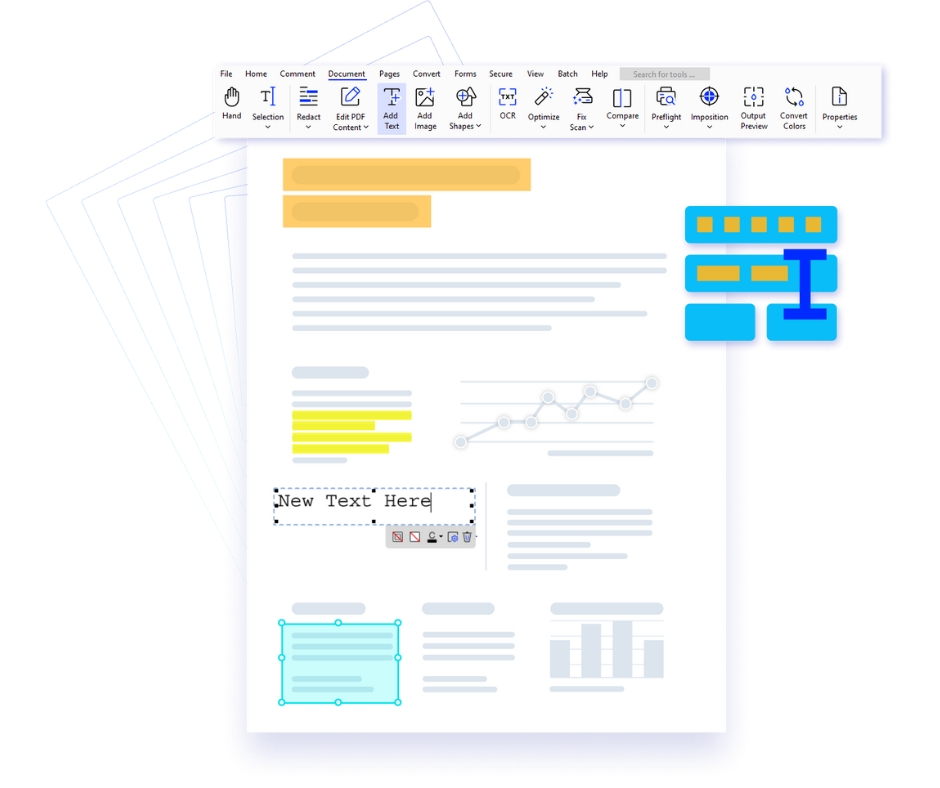
Linux PDF editor interface document workflow Xodo PDF Studio

Key Features of Xodo PDF Studio

✔ Lightweight and powerful PDF editor
✔ OCR and annotation tools
✔ Convert and manage documents
✔ Secure collaboration features

Why Choose This PDF Studio for Linux

Optimized Performance

Runs efficiently across Linux systems

Flexible Workflow

Streamline document processes

Advanced Tools

Edit and annotate with ease

Data Protection

Secure sensitive information

Xodo PDF Studio FAQs

  • What is Xodo PDF Studio +

    Xodo PDF Studio is a feature-rich desktop PDF editor software that allows you to edit, annotate, create forms, secure, and manage your PDF documents seamlessly across Windows, Mac, and Linux.
  • What is the difference between Xodo PDF Studio and Xodo Web? +

    Xodo PDF Studio is desktop software for Windows, macOS, and Linux that provides advanced offline document processing and security features for enterprise users.
  • Is Xodo PDF Studio compatible with my operating system? +

    Xodo PDF Studio is compatible with Windows, macOS, and Linux operating systems.
  • Can I try Xodo PDF Studio before purchasing? +

    Yes, you can download a demo of Xodo PDF Studio to test the software, but please note that the free demo includes watermarks. Start a free trial to experience all the tools and features without watermarks. You can cancel your trial at any time.
  • Do I need a credit card for the free trial? +

    Yes, you need to provide a credit card to fully test Xodo PDF Studio without limitations or watermarks. You can cancel the trial at any time.
  • How much does Xodo PDF Studio cost? +

    Xodo PDF Studio costs $12.99 per month for a monthly subscription. If you choose the yearly subscription, it’s just $9.99 - saving you $36 over the year. We also offer volume discounts for larger teams and enterprises. To see how Xodo PDF Studio can benefit your organization, we encourage you to book a demo with our representatives today!
  • Is Xodo PDF Studio available for individual users as well as teams? +

    Yes, Xodo PDF Studio is available for both individual users and teams. You can subscribe now for a single user license or contact us for a custom quote tailored to your business needs.
  • What kind of customer support is available? +

    We provide comprehensive customer assistance by email, live chat, and a large online knowledge base.
  • Can I use Xodo PDF Studio offline? +

    Yes, Xodo PDF Studio is fully functional without an internet connection, allowing you to work on your PDFs at any time and from any location.
  • What document security features are available in Xodo PDF Studio? +

    To ensure secrecy, Xodo PDF Studio includes a number of strong security features such as enhanced password protection, digital signatures, and redaction capabilities. It also supports PDF sanitisation, which removes sensitive information and metadata before sharing your files, ensuring that they are secure and meet privacy standards.
  • Can Xodo PDF Studio OCR documents? +

    Yes, Xodo PDF Studio supports OCR (Optical Character Recognition) to convert scanned PDF files and images into searchable documents.
  • Can Xodo PDF Studio batch process files at once? +

    Yes, Xodo PDF Studio can batch process and modify multiple files simultaneously. To learn more about automating PDF tasks with batch processing, start your free trial to test it out firsthand.
  • Is there a completely free version of Xodo PDF Studio? +

    Xodo PDF Studio is a business-grade PDF solution that offers a free trial, allowing you to experience all its features. After the trial, a subscription is required to continue using the software.
  • 1
DMC Firewall is developed by Dean Marshall Consultancy Ltd