Paper Port 14, Document Management System
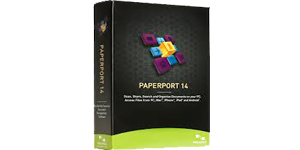
PaperPort Professional 14 is a powerful document management solution designed to help businesses and professionals scan, organize, access, and share documents with ease. It combines advanced scanning, PDF creation, and file management into one intuitive platform.
With seamless cloud integration, users can access documents anytime, anywhere via web browsers, mobile devices, or tablets. PaperPort eliminates paper dependency, improves workflow efficiency, and ensures secure document handling across teams.
Trusted by millions worldwide, PaperPort simplifies document workflows, enhances productivity, and enables organizations to transition to a fully digital environment.
Cloud Connector Integration
Access and sync files with cloud platforms like Google Drive, Box, and OneDrive directly within PaperPort.
Evernote Integration
Drag-and-drop files into Evernote and attach documents to notes seamlessly.
Enhanced Network Support
Fast thumbnail viewing and file locking prevent conflicts in shared environments.
Advanced Scanning
Up to 62% smaller PDFs with improved compression and faster scan workflows.
Workspace Productivity Tools
Quick access to recently scanned or opened documents for faster navigation.
Scanner Enhancement Tools
Auto-cropping, despeckle, punch-hole removal, and edge cleaning for perfect scans.
Document Management
Centralized platform to scan, organize, and manage all documents efficiently.
PDF Creation & Editing
Create, merge, edit, and share industry-standard PDF files بسهولة.
Advanced Security
Protect sensitive documents with encryption, passwords, and access controls.
Form Conversion
Convert paper forms into fillable digital forms using FormTyper technology.
Searchable PDFs
Instantly find documents using keyword search across scanned files.
Cloud & Mobile Access
Access and manage documents from anywhere using cloud connectivity.
Batch Processing
Automate document workflows and process large volumes efficiently.
Scanner Compatibility
Works with all scanners including MFPs and mobile scanning devices.
| Processor | Intel Pentium or higher |
| RAM | 1 GB minimum |
| Storage | 700 MB free disk space |
| Display | 1024 × 768 resolution |
| Operating System | Windows 8 / 7 / Vista / XP |
| Browsers | Internet Explorer, Firefox, Chrome |
| Installation | DVD-ROM required |